


There's no such thing as "stock Android" anymore — every single manufacturer puts their own spin on the latest release of the Android Open Source Project. Each Android skin is different, with some adding unnecessary bloat and others adding extra functionality. While Samsung's One UI might've fallen into the former camp years ago, it's now the standard for a clean and feature-rich Android operating system. Part of that is due to the hidden features Samsung Galaxy phones offer thanks to the Good Lock app in the Galaxy Store.
Good Lock is a bit of a controversial app among Samsung fans. Some think that Good Lock's fabulous features should be built right into One UI, while others like that the extra customization tools are separated into their own "modules." There are 20 modules available in Good Lock tailed to specific utilities, like Camera Assistant or Home Up. The app and its modules make One UI 8.5 feel like a custom Android ROM or third-party launcher. Getting that kind of flexibility from the default operating system is one of the best things about using a Galaxy phone. Here's how I've used it to my advantage, and how you can too.
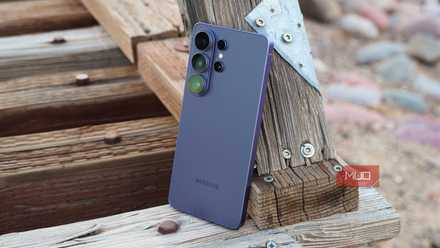
The Galaxy S26 Ultra is almost perfect, and that almost is what bothers me
The Galaxy S26 Ultra is once again the best Android phone money can buy, but there's one thing I need Samsung to address.
Camera Assistant unlocks advanced features
It's how I added a 24MP camera mode to my Galaxy S26
Even if you're not a power user, there are Good Lock modules that can help improve your experience with a Galaxy phone. For example, the Samsung Galaxy S26 series offers a subtle 24MP camera mode that isn't natively available in the Camera app. Instead, the extra feature is only available within the Camera Assistant module in the Good Lock app. Good Lock is made up of individual modules, like Camera Assistant, and you can activate them after downloading Good Lock from the Galaxy Store or Google Play Store.
Each module does something different, and appears in a unique way. For example, Camera Assistant isn't an "app" in the traditional sense. Activating the module in the Good Lock app simply adds an extra Camera settings page with more functionality. After downloading the module, navigating through Settings → Apps → Samsung app settings → Camera → Camera Assistant reveals the new customization settings available. These include Auto lens switching, HDR10+, Auto HDR, Faster shutter, and Advanced resolution options.
For example, under the Advanced resolution options menu, I was able to turn on the 24MP shooting mode. This gave me an extra megapixel mode for my Galaxy S26 and Galaxy S26 Ultra review units, offering 12MP, 24MP, 50MP, and 200MP (Ultra only) options. This is just one instance of a Good Lock module adding a feature that actually upgrades your day-to-day experience of using a Galaxy phone. The 24MP shooting mode, in particular, is an excellent alternative to the default 12MP setting that uses an "AI Fusion" algorithm to upgrade quality while managing efficiency.
There are 20 modules available in the Good Lock app, and each of them provides its own niche customization and personalization features for your Galaxy phone.

MultiStar opens up new Galaxy Z Flip possibilities
Finally, make the most of your cover screen with this Good Lock module
Another handy Good Lock module for Galaxy users is MultiStar — this is a must-use module for any Galaxy Z Flip owners. As the name hints at, the MultiStar module is all about multitasking. One UI 8.5's multitasking support is already excellent, with support for pop-up windows and 90:10 split-screen viewing. However, MultiStar takes this one step further by allowing users to force split-screen layouts for all apps, turn on multi-focus mode, and personalize the Samsung DeX experience. For flips and folds, MultiStar houses the aptly named "I love Galaxy foldable" menu.
Crucially, this MultiStar page lets you add a Launcher Widget to your Galaxy Z Flip cover screen. Samsung flip phones don't have the ability to run every app on the cover screen out of the box, unlike Motorola Razr foldables. However, you can recover this functionality with MultiStar.
By adding the Launcher Widget to a Galaxy Z Flip phone, you can run any app on the cover screen without needing to open the main folding display. The MultiStar module also offers settings for continuing apps or playing games on the cover screen. It's a versatile multitasking module regardless of whether you use a foldable, but it's a Good Lock utility that is essential to unlocking the Galaxy Z Flip's full functionality.

Motorola's Razr 2026 software finally matches the hardware's flair
Foldables are only useful if their software makes the most of their hardware. Luckily, the Motorola Razr 2026 series looks to do just that.
Good Lock offers so much more
It's the key to personalizing and customizing your Galaxy phone

Those are just a few examples of how you can use Good Lock modules to customize your Samsung Galaxy phone, but there are many more. Even the most passionate tech enthusiasts and Galaxy power users probably don't use every Good Lock module — that's how robust of a personalization suite this app is. Here are all 20 of the modules you'll find after installing Good Lock on One UI 8.5:
- Camera Assistant
- ClockFace
- Display Assistant
- Dropship
- Edge Lighting+
- Edge Touch
- Galaxy to Share
- Good Guardians
- Home Up
- Keys Cafe
- LockStar
- MultiStar
- NavStar
- Nice Catch
- Nice Shot
- NotiStar
- One Hand Operation+
- Pentastic
- QuickStar
- RegiStar
- Routines+
- SoundAssistant
- Theme Park Wonderland
Other highlights include Home Up, which lets you override the traditional One UI home screen app grid and place app icons anywhere on the screen. Or Pentastic, a module that helps you personalize your S Pen across the entire operating system. This is the beauty of Good Lock. The possibilities are endless, and if there's something you want to change about your Galaxy phone, this app is probably the solution.
Good Lock
- OS
- Android
- Developer
- Good Lock Labs
- Price model
- Free
Good Lock is a powerful customization suite for Samsung Galaxy devices, offering a collection of modules and plugins that let you personalize almost every aspect of your phone. With Good Lock, you can tweak the lock screen, home screen, navigation bar, keyboard, notifications, and more to match your style and workflow.