


Fixing a buried bandwidth setting on my Samsung Frame TV sent me down a rabbit hole. If one HDMI option could change picture quality that much, I wanted to know what else those menus were hiding. I worked through every HDMI setting on every TV in the house: two Frame TVs, a Hisense CanvasTV, and a few TCL Roku sets. The ports carry far more than video. They handle remote commands, latency signals, copy protection, and, on paper at least, networking. Most of it ships disabled, renamed, or buried where nobody looks. Four of these features are worth enabling tonight. One is always on whether you like it or not. The last one, nobody has ever managed to turn on.
HDMI-CEC lets one remote run everything plugged into your TV
Your devices already talk over a single wire in the cable
One pin inside every HDMI cable is reserved for control traffic. The channel is called Consumer Electronics Control, or CEC, and it lets connected devices send commands to one another. My Apple TV leans on it constantly. Press the Siri Remote and my Frame TV wakes, jumps to the right input, and hands its volume buttons over, no Samsung remote required.
The label changes with the logo on the bezel: Anynet+ on my Samsung sets, SimpLink on LG, Bravia Sync on Sony, and 1-Touch Play on Roku models. On the Frame TVs, the toggle sits under Settings > General > External Device Manager, one line away from the bandwidth setting I'd just fixed. Streaming boxes and consoles carry their own CEC switch too, and the feature only works when both sides agree.
CEC does get chatty now and then. A device waking from sleep can yank the TV over to its input uninvited. I leave it on anyway. Losing the remote juggling act is worth the occasional interruption.
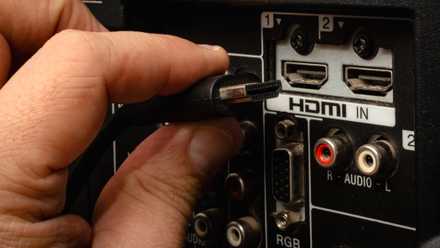
Did You Know You Can Plug These 10 Devices Into Your Smart TV's HDMI Port?
The HDMI port on your smart TV has so many uses.
VRR stops screen tearing before it starts
The panel matches the game's frame rate instead of fighting it

A TV normally refreshes on a fixed schedule, usually 60 or 120 times per second. Games refuse to cooperate. Their frame rates surge and dip with the on-screen action, and when panel and source fall out of step, you see torn frames and stutter. Variable refresh rate ends the standoff by letting the TV redraw the moment a new frame arrives.
My Hisense CanvasTV accepts anything from 48Hz to 144Hz and adds AMD FreeSync Premium for PC players. Two details trip people up. Only two of its four HDMI ports run at full HDMI 2.1 bandwidth, so VRR never appears if the source lands on the wrong one. And the source has a say as well, since consoles and graphics cards bury their own VRR toggles in display settings. Both ends need checking before the feature does anything.
ALLM turns on game mode so you don't have to
The processing that makes movies pretty is the lag you feel in games

Every modern TV runs incoming video through processing: motion smoothing, upscaling, and noise reduction. Movies benefit. Games pay for it, because all that work adds delay between your controller and the screen, sometimes a tenth of a second or more. Game mode strips the processing out, and a decent panel in game mode drops input lag to under 20 milliseconds.
Auto Low Latency Mode makes the switch automatic. When a source identifies itself as a game, the TV falls into game mode on its own, then climbs back out when you switch to a movie. The CanvasTV does this without a prompt and pairs it with an on-screen game bar for mid-session tweaks. Older sets without ALLM still have the manual version. It works just as well and relies on you remembering it exists.
HDCP is the one feature you can't turn off
The copy-protection handshake running behind everything you stream
Not every HDMI feature waits for permission. High-bandwidth Digital Content Protection is encryption built into the connection itself, and it runs every time protected content plays. The source and display verify each other before a single frame moves, and anything sitting between them, whether a receiver, soundbar, or splitter, has to pass the same check.
Version numbers are where it bites. Protected 4K demands HDCP 2.2 at minimum, while plenty of older receivers and bargain splitters only speak HDCP 1.4, the 1080p-era standard. A failed handshake produces a black screen, an HDCP error, or a stream that falls back to 1080p without ever mentioning it. The mismatch stays invisible from the outside, much like a USB-C cable that runs at USB 2.0 speeds despite looking the part. And since HDCP compliance lives in hardware, no firmware update can rescue an old box.
HDMI Ethernet is the feature nobody gets to turn on
A 2009 spec that never made it past the cable packaging

Here's the odd one out. HDMI 1.4 introduced the HDMI Ethernet Channel back in 2009, promising 100Mbps of networking through the same cable carrying your picture. One Ethernet drop at the TV could have fed an entire cabinet of gear. Cable makers adopted it instantly, which is why packaging still reads "High Speed with Ethernet" 17 years later.
The hardware side never arrived. TV and device makers skipped HEC almost universally, so there is no menu, no toggle, and no setting to hunt for. I checked every set in the house anyway. Nothing. This is the only feature here where turning it on is off the table for everyone. The pins found honest work eventually, though. eARC, the current audio return channel, runs over the same pair the Ethernet feature once reserved.

You already paid for these features
Every feature here except the last one is sitting in hardware you already own, waiting on nothing but a trip through the settings. CEC alone changed how my living room runs, and enabling it on every TV in the house took less time than a single episode of anything. The pattern keeps repeating for me: the cheap fixes I put off for years deliver more than the expensive gear around them. HDMI has spent two decades quietly adding features to a port most of us treat as a dumb video plug. The spec held up its end. An evening in the menus is how you collect.