

I love reading ebooks, but hate paying for content with Digital Rights Management (DRM) software. If a file has DRM on it, you don't actually own it. Digital purchases are usually sold as a license that can be revoked at any time, and this software restricts how you can access the digital items you've already bought.
Subscription models like Kindle Unlimited are even worse. You get access to millions of books, and the catch is that they all disappear if you cancel your subscription. There's a better way to read ebooks without paying a cent, and I can't believe I didn't start using it sooner.
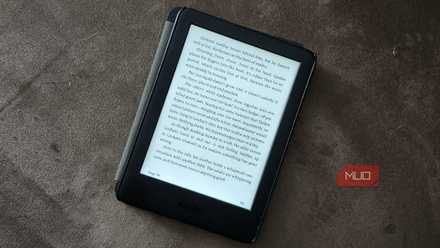
Amazon can delete your entire Kindle library, and there's only one thing you can do about it
DRM is a preservation nightmare, but you can fight back against it.
When you buy an ebook, you probably don't own it
DRM software controls when, where, and how you can access e-books
When you buy a physical copy of a book, you're in full control of how it's used, copied, or shared. You can keep it forever, lend it to friends, or painstakingly scan each and every page to make a homemade digital copy. There aren't any restrictions. You can resell it or donate it when you're done. Many ebooks are priced similarly to physical formats, like mass market paperback, but they're locked down with DRM that changes the conventional definition of ownership.
The situation is a familiar one. You agree to lengthy terms-of-service agreements filled with legalese that no one reads when using a digital storefront, such as the Kindle Store. These agreements dictate the terms of ebook sale, and essentially state that you are buying a license to access the book, not the book itself. Break the rules or attempt to access the ebook in a way the seller doesn't approve of, and you could lose access entirely.
This is all frustrating to learn as a consumer, especially if you've spent a fortune acquiring a digital ebook library. It's easy to feel disdain for DRM after hearing you don't actually own your ebooks, but it's important to remember DRM in itself isn't a bad thing.
Many digital libraries use DRM software to make sure you don't retain access to ebooks after their loans expire, and this seems perfectly reasonable. You're being lent something for free, and there are a few strings attached. That's better than paying full price for an ebook and getting a digital file with even more strings attached.
 Quiz
Quiz
How much do you know about ebook formats?
From forgotten flops to modern standards — how well do you know the formats that shaped digital reading?
Which ebook format, launched in 1998 by Nuvomedia, was one of the very first dedicated ebook formats and ran on the Rocket eBook device?
Microsoft's LIT format, used with its Microsoft Reader app, was discontinued in which year?
EPUB, now the dominant open ebook standard, is maintained by which organization?
What was the name of Amazon's original proprietary ebook format used on the first Kindle devices, launched in 2007?
The Palm PDB format was widely used on which type of device in the early 2000s for reading ebooks?
Adobe Digital Editions uses which DRM system to protect EPUB and PDF ebooks sold by many major retailers?
Which ebook format, developed by Dmitry Sklarov and released in 2001, became especially popular in Russia and Eastern Europe and remains in active use today?
Amazon's most advanced current ebook format, KFX, introduced features like improved typography and Bookerly font support. In approximately which year did Amazon begin rolling it out?
Your Score
Thanks for playing!
These sites are all about free ebook access
Open Library, Project Gutenberg, and Bibliomania are a few of them

Joe Robinson / MUO
You might know that in the U.S., copyright protection for books published after 1978 lasts for the life of the author plus an additional 70 years. After copyright protection expires, these titles enter the public domain and anyone can access, reprint, or redistribute it. This is the easiest way to access DRM-free copies of ebooks.
Using sites like Project Gutenberg or Bibliomania, you can access over 75,000 titles that have entered the public domain. Go to the website, download the file in EPUB or PDF form, and load it up on your eReader of choice. It's that easy.
Of course, this only works for older books that have already entered the public domain. The alternative for newer works is to use a digital lending library, like the Internet Archive's Open Library. The Open Library is a bit of a hybrid solution, as it offers unrestricted access to read and download books that are in the public domain while also providing digital loans for newer titles.
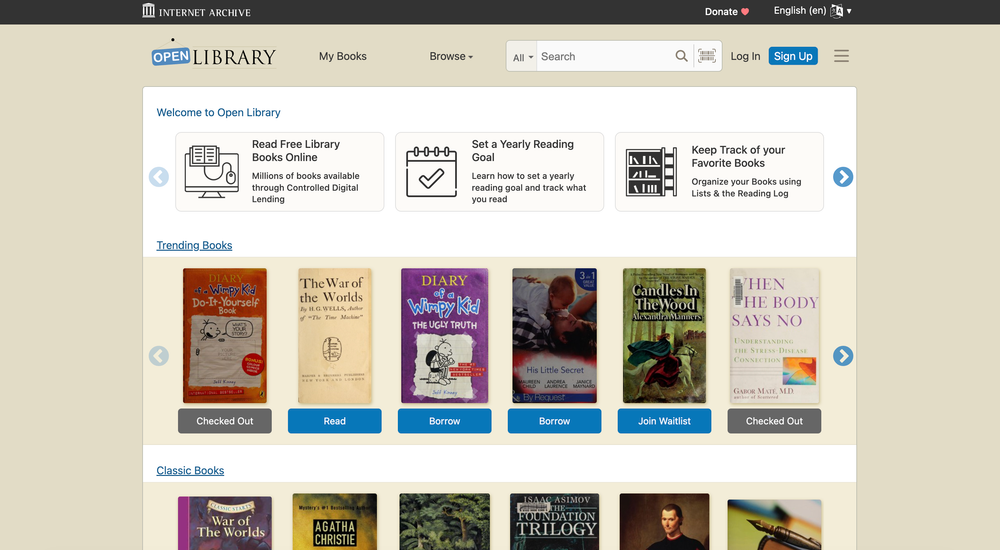
Digital libraries like the Open Library use something called "controlled digital lending." The library has a license that allows it to lend one digital copy of a book to one user at a time. So, it works just like a loan from a brick-and-mortar library.
You can check out a book for up to 14 days, and access it in BookReader, EPUB, or PDF versions (supported file types may vary by title). When the loan expires, the files will be disabled thanks to DRM software.
What about newer, paid ebooks?
Libby and similar sites let you borrow ebooks from your local library
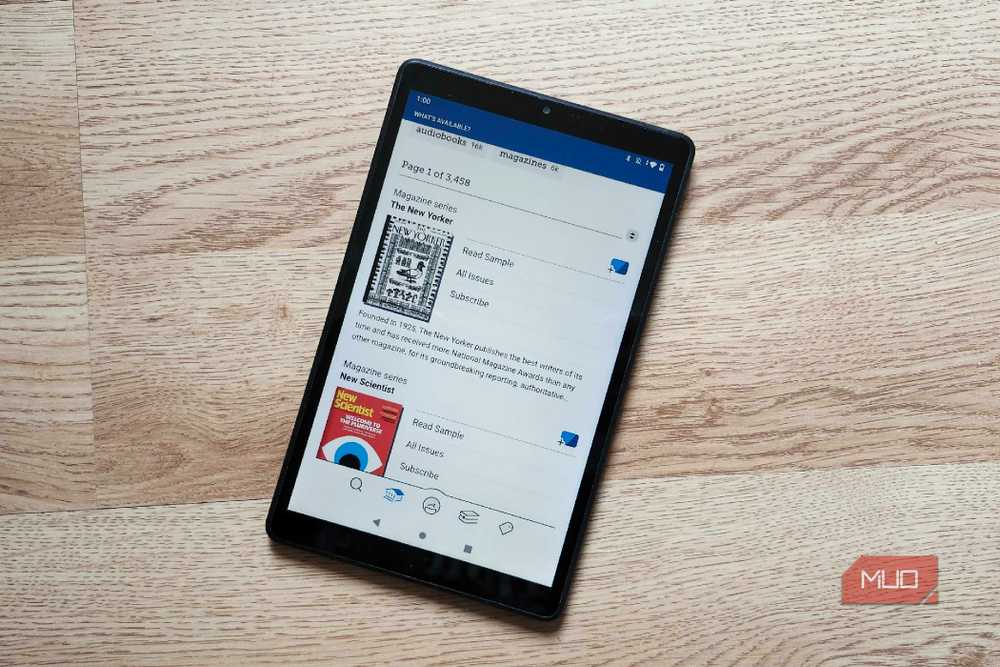
Many people buy ebooks from large digital storefronts like the Kindle Store because they're worried the title they want won't be available from a digital library. That fear isn't completely unfounded — if you only use free and open libraries such as Project Gutenberg or Open Library, you'll probably miss out on newer books. There is a solution, though, and it's a site called Libby. It's a central site that offers free ebook and audiobook loans from thousands of public libraries.
Those with a local library offering Libby access don't have to do much to access the massive amount of ebooks available on the platform. To date, Libby has loaned over a billion titles, and all users need is a library card from their local library to access them. If you're not located near one, don't fret. There are many libraries that offer library card access to out-of-state or out-of-country residents, sometimes for a small fee. You can find them online, and MobileRead's ebook lending libraries wiki page is a good place to start.
After you check out a book with Libby, you can either send it to your Amazon account, read it in the Libby app or web client, or download an EPUB copy. Either way, it'll be returned or disabled after the loan period ends, as the EPUB files are locked with Adobe Digital Editions. Again, this is a fair deal, since you're getting ebook access completely free.
Now that I've discovered all the ways to access ebooks without paying for them — completely free and legally — I'll never pay for a locked-down ebook again.

Onyx Boox Palma 2 Pro
- Brand
- Onyx
- Resolution
- B/W: 824 x 1648 (300ppi)
- Storage
- 128GB
- Connectivity
- Wi-Fi + BT 5.1, supports 2G/3G/4G/5G networks
- Screen Size
- 6.13" Kaleido 3 (4,096 colors) glass screen with flat cover-lens
- Processor
- Octa-core + BSR
A tiny, pocketable Android 15 eReader with plenty of support for DRM-free files. Tired of ecosystem lock-in while reading? This is your solution.