


It is annoying to spend money on a new, high-wattage charger only to see the battery icon barely crawl forward. It happened to me, and I would swap blocks, test different outlets, and even blame the phone for charging slowly. I did not realize that the cable sitting in my drawer was the actual problem. I could have saved so much money if I knew what to look for.
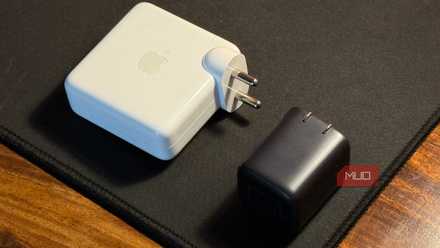
Why Picking the Right Charger Is More Confusing Than It Should Be (And How to Fix That)
Having the right charger for your smartphone makes all the difference.
I kept buying new chargers, trying to fix slow charging
Cheap cables will be what stops you

It is easy to assume that buying an expensive, high-wattage power brick is all you need to get fast charging speeds. I thought so too, but I realized that no matter what bases I used, my phone still charged at a slow pace. The real culprit turned out to be the cheap cables I used to connect it.
A fast charger doesn't guarantee fast charging because performance relies on the entire setup working together, including the charger, the device, and the cable. When you pair a 100W charging block with a budget cord, the fast charge will get to the base, but then it's like a traffic jam coming to the phone itself. The cable will throttle your charge before it reaches your phone battery.
The main reason cheap cables fail is that they don't have internal data chips. USB-C Power Delivery is more of a network and less of a power bus. For a system to go above 3 Amps, which caps power at about 60 Watts, the cable needs a 5A E-Marker chip in its terminal.
If that chip is missing, the charger's safety protocols automatically clamp the output to 3A. Even if your power brick can deliver 100W, a cable without an E-Marker chip will actively cap the charge. Some laptops might even reject the power source entirely and show a "Not Charging" status if they don't detect that chip.
Even if you were to bypass the stoppage, cheap cables are physically unable to handle modern fast charging. Cables made for basic 3A charging use thinner copper and lower-quality plating to save money. When a high-wattage charger pushes 5 Amps through those thin wires, it will hit electrical resistance.
That's a major fire risk if you find a way to push past it. It's better to buy a cable that can handle this than just to keep using cheap cables.
Find the right high-wattage cable
Look past the marketing to find the real specs
When you finally stop blaming your expensive power brick and look for a real cable, knowing how to pick the right one is the most important step. If you grab a generic USB-C cable off a shelf, you are almost certainly buying a 3-Amp cable with the cap. To get the speeds you expect for a phone, you need to look for cables explicitly rated for 5 Amps.
These 5A cables handle 100 watts of power, and with USB Power Delivery 3.1, they can even support 140 or 240 watts. Checking for these ratings lets your phone draw the maximum power from the wall adapter since it confirms the presence of an E-Marker chip.
Ignore the other buzzwords you see, since marketing jargon tends not to be worth your time. Instead, look for physical indicators to verify the cable. Genuine 5A cables are usually thicker and less bendy and stretchy than budget versions. They need lower-gauge, thicker copper wire and better shielding to handle high loads without getting hot.
I like to look for a "5A", "100W", or "240W" designation printed on the connector somewhere. It's not always there, but if you buy a third-party cable and find that, you know you've found a reliable cable.
I highly recommend looking for cables with official USB-IF certification. This is a sign that the cable meets electrical standards and will not suffer from voltage drops under load. You also have to check the cable length.
Electrical resistance increases over distance, so you should pick a cable between three and six feet long. Genuine high-wattage cables are rarely sold longer than nine feet because longer cords have to charge more slowly due to the distance. If you really need a longer wire, then maybe think about a power strip or something else, because you're wasting your money on a longer wire.
The long-term cost of cheaper wires
Paying more for a dongle could save you money

It took me a lot longer to buy a new wire because it cost so much. It's hard to justify spending money on a cable, and it's worse now that some bases don't come with cables.
It's only unjustifiable if you focus on what it looks like on the outside. You're literally paying for an upgraded version of what you've been using, but it's mostly changed on the inside.
A premium 5-amp cable looks just like the free, standard cords you already own, making the price tag seem like a scam. These premium cables are more complex to build, so they cost more. They need thicker materials as well as the mandatory E-Marker chip, so they naturally cost more than the basic 3-amp cords that come with low-power electronics.
Buying one quality cable is much cheaper than buying cheap versions that will only last a short while. It is better to have a trustworthy brand make your cable, like Samsung or whichever company designed the phone, because you're less likely to get a fire or overcharge. While it sounds silly, it is always better to be safe than sorry.
Spend the extra money
I used to feel like I was wasting money on thick, certified cords before I saw how much they were worth. It is a bad idea to skimp when paying for safety and the internal components that let devices send a charge faster. I did not regret upgrading my cables because it stopped the cycle of buying more expensive chargers that never fixed the issue.

Anker USB C Charger
- Brand
- Anker
- Cable included
- No
Coated in a soft matte finish, the Anker USB C Charger allows you to connect up to three devices, delivering a maximum of 65W to a single device. Using GaN II technology, Anker has managed to make this charging plug discreetly small, though it does tend to stick out more from power outlets than standard-sized chargers. Still, it's perfect for slipping into your bag when you need it. Compatible with many USB-C and USB devices, the Anker USB C Charger is an affordable way to keep your devices charged up. Whether you're using a Google Pixel 6 Pro or an Apple 2020 MacBook Pro, you can ensure your devices don't run out of battery.