


My parents' TV kept buffering over Wi-Fi, so I was called to take a look. They pay for a 100 Mbps plan, which should be more than enough for streaming Netflix and Disney+. I ran a quick speed test, and the Wi-Fi only managed about 22 Mbps.
But a second test over Ethernet came back just over 100 Mbps. So it was not the ISP after all. Turns out their old router was set to WPA with TKIP, a security protocol from 2003 that has been quietly hurting their internet speed, capping the Wi-Fi at 54 Mbps.
What's TKIP and why it caps Wi-Fi at 54 Mbps
An outdated encryption method that forces your router into slow mode
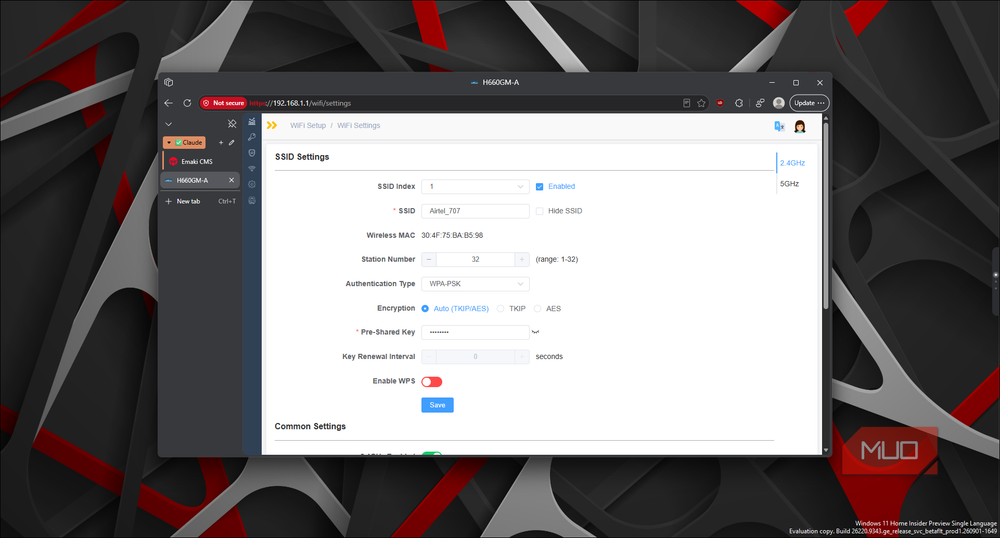
TKIP stands for Temporal Key Integrity Protocol. It was introduced in 2003 as part of WPA (Wi-Fi Protected Access), which itself was a rushed fix for the broken WEP encryption that came before it. TKIP was better than WEP because it changed encryption keys dynamically instead of using a fixed one, but it was always meant to be a temporary solution, not a long-term standard.
WPA2 replaced WPA in 2004 and swapped TKIP for AES (Advanced Encryption Standard), a much stronger encryption algorithm that even the US federal government uses to protect classified data. AES does not share any of TKIP's known vulnerabilities, and it is what every modern device expects to use.
Wi-Fi 4 (802.11n) and every standard after it were designed to work with AES. When a router uses TKIP, either on its own or in a mixed mode like WPA/WPA2 or TKIP+AES, it forces devices to fall back to legacy 802.11a/g rates. That means a hard cap of 54 Mbps, regardless of what your internet plan or router hardware can do. After Wi-Fi overhead, real-world throughput on a 54 Mbps link drops to roughly 20 to 25 Mbps, which is exactly what my parents' speed test showed.
The most common way people end up stuck with TKIP is through mixed mode. Routers often label it WPA/WPA2, TKIP+AES, or Auto. The idea is backward compatibility, where older devices that only understand WPA and TKIP can still connect alongside newer ones. In practice, the presence of TKIP drags everything down. If you want to understand the difference between AES and TKIP and which one gives you faster Wi-Fi, AES wins on both security and speed.
Check if your router is using TKIP
How to spot it on your devices and what to change


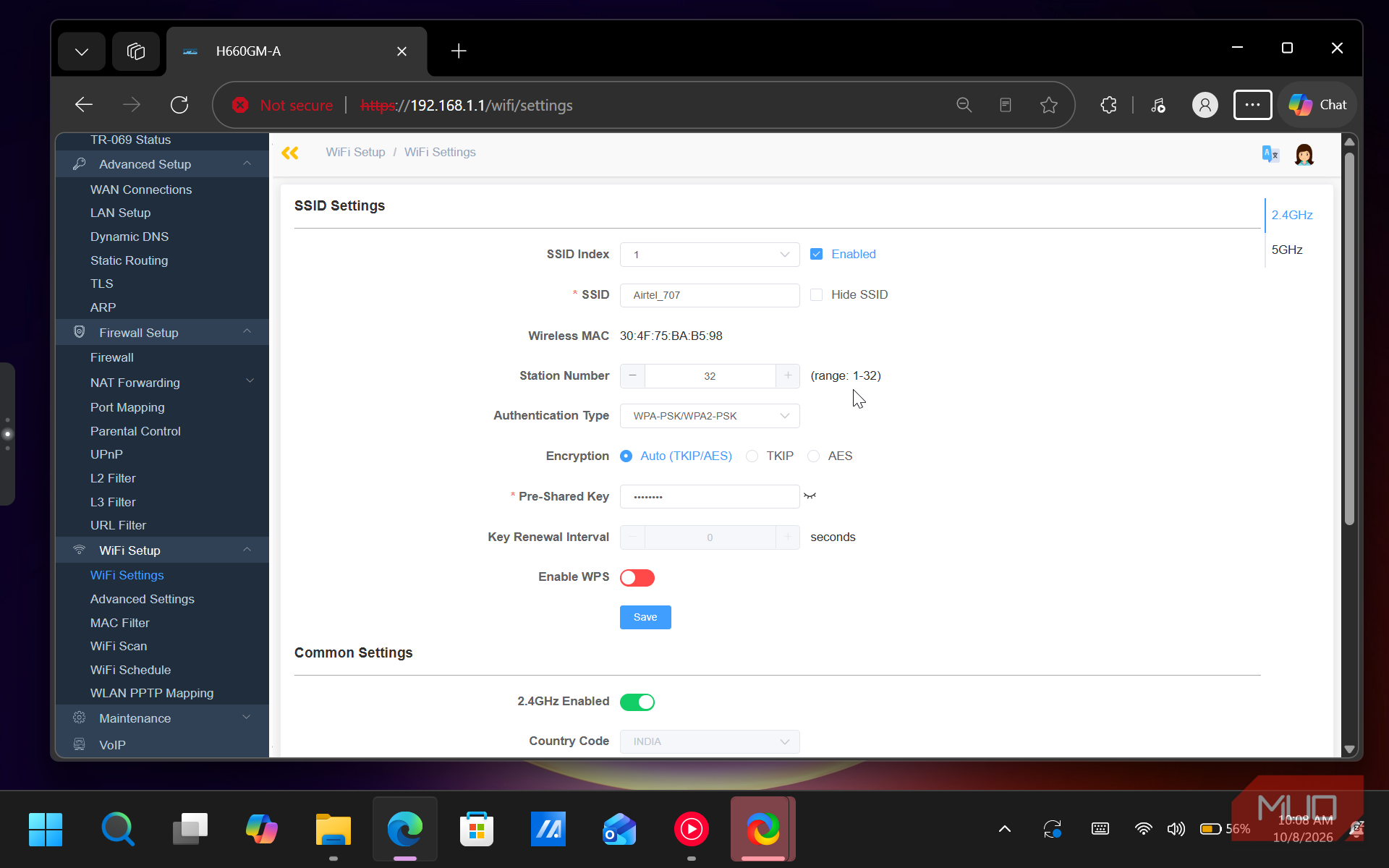
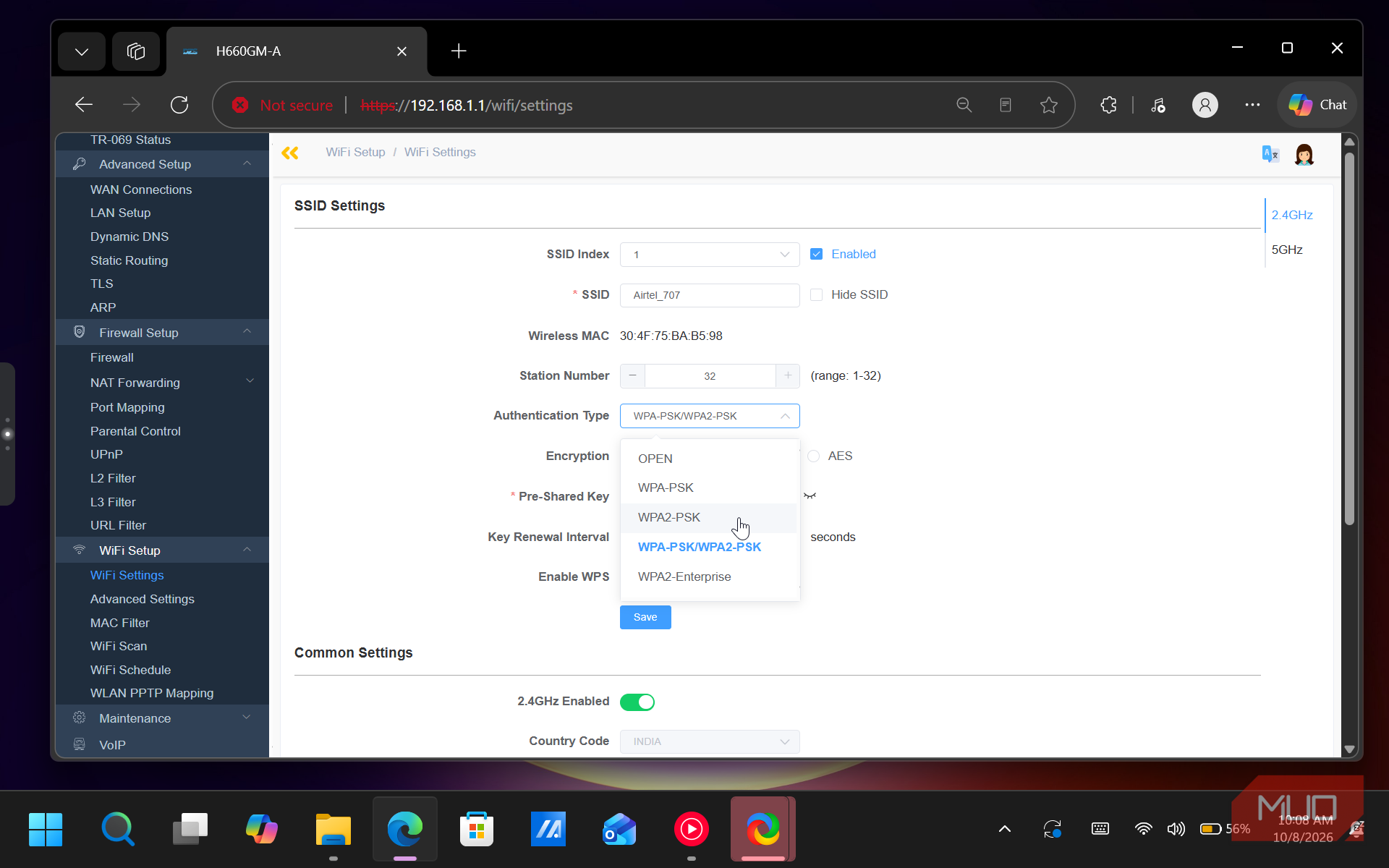
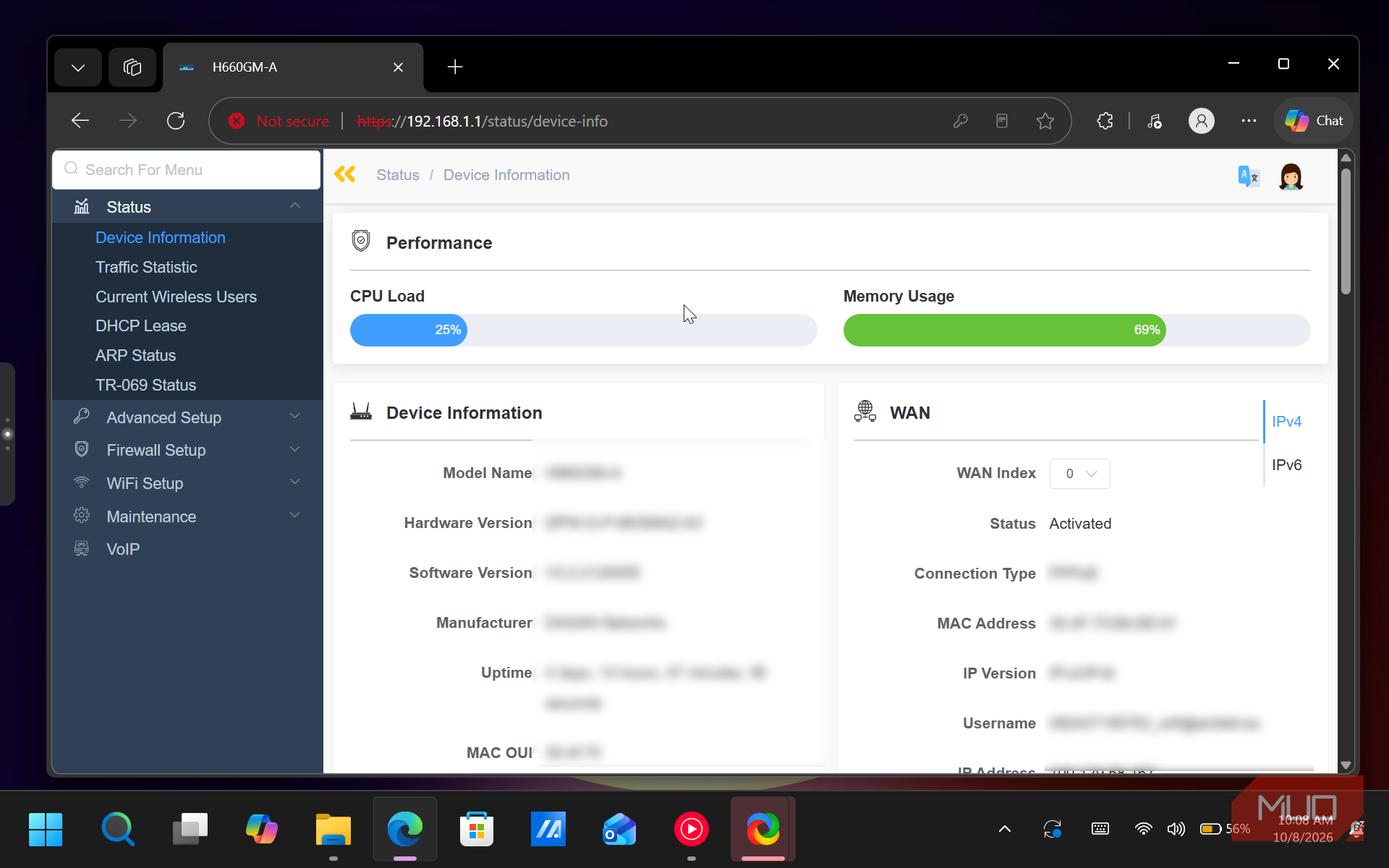
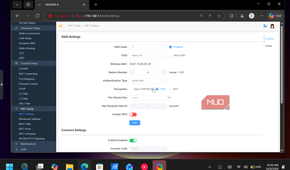
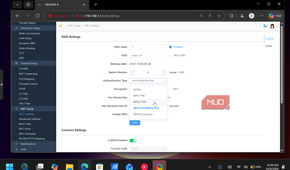
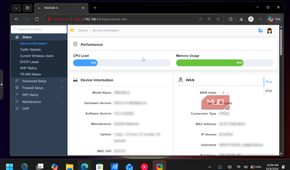
You can check the authentication and encryption type by accessing your router's admin settings. However, your connected devices also show hints. On Windows, click the Wi-Fi icon in the taskbar, then select the network properties for your connection. If the Security type says WPA-Personal or lists TKIP under the Cipher, you are on the old protocol. Recent versions of Windows 10 and 11 even show a warning that says Wi-Fi Standard: Older security for networks using TKIP. You can also open Command Prompt and type netsh wlan show interfaces to see the Cipher your connection is using.
On an iPhone, go to Settings > Wi-Fi and tap the info icon next to your network name. If the phone shows a Weak Security warning, it means the network is using WPA/TKIP or another outdated protocol. Android phones show a similar warning under the Wi-Fi connection details.
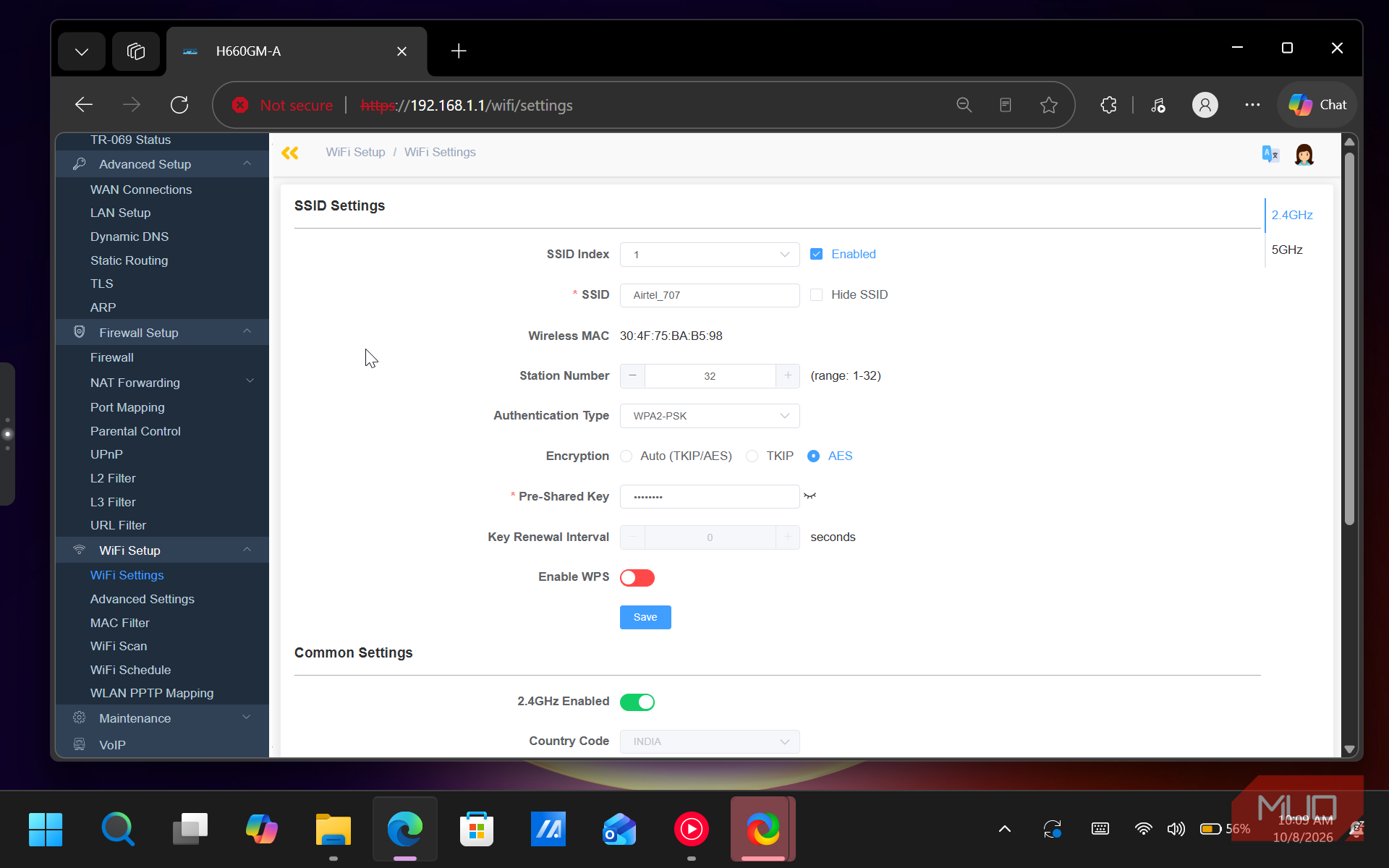
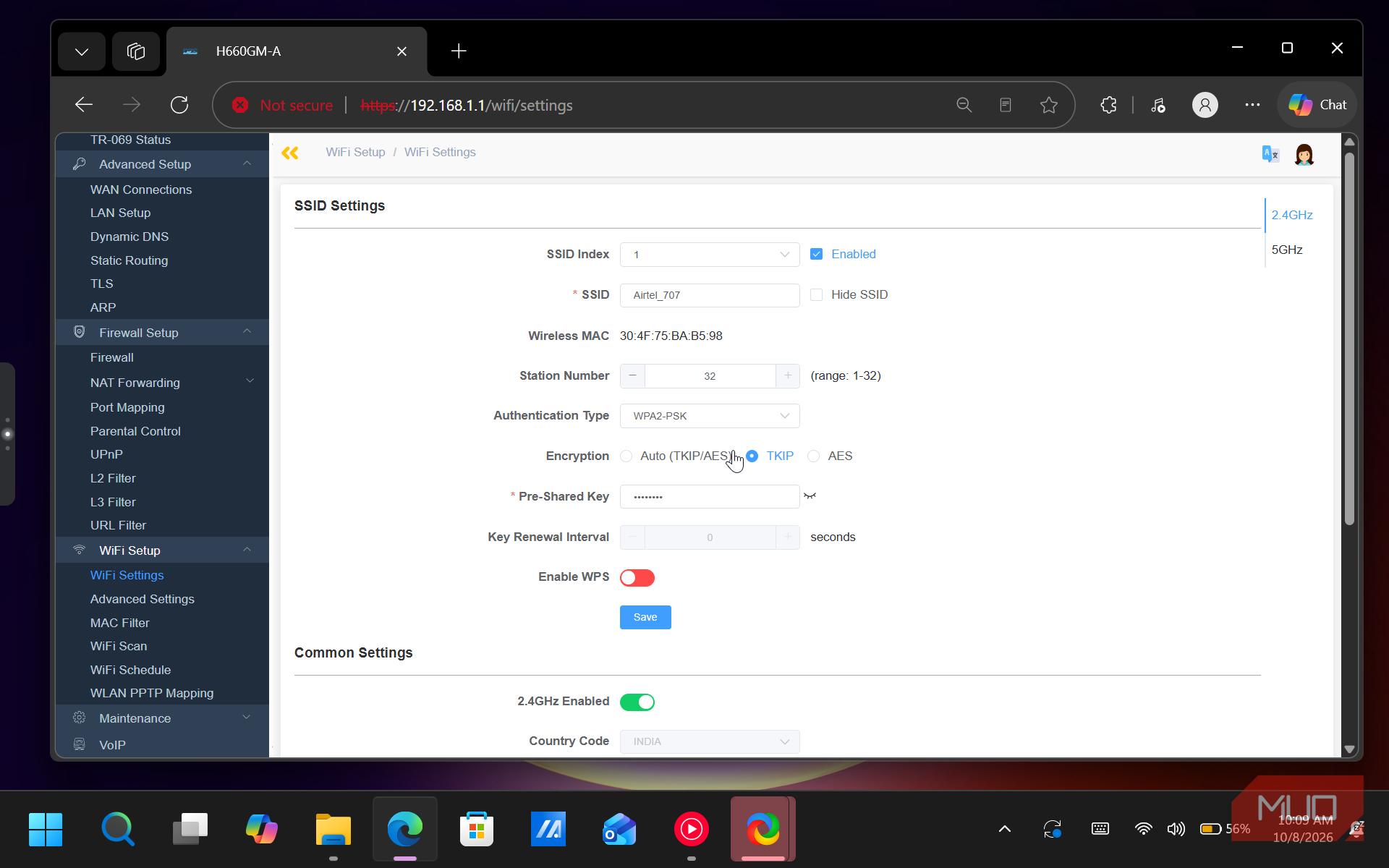
To fix it, log into your router's admin panel. This is usually at 192.168.0.1 or 192.168.1.1 in your browser. Find the wireless security settings and change the mode from WPA, WPA/WPA2, or any option that mentions TKIP to WPA2-AES (sometimes labeled WPA2-PSK with AES). If your router supports it, WPA3 is even better, though not all devices support it yet. After saving the change, reconnect your devices and run a speed test. On my parents' router, the Wi-Fi speed jumped from 22 Mbps to about 85 Mbps, much closer to their 100 Mbps plan.
That said, if an old device stops connecting after you switch to WPA2-AES, it's likely because that device only supports TKIP. This often happens with older printers or early smart-home gadgets. To mitigate network issues on these devices:
- You can connect that device over Ethernet if it has a port.
- You can set up a separate guest network on your router with WPA/TKIP enabled, isolating the old device from the rest of your faster network.
- Or, if the device is old enough to be TKIP-only, it might be time to replace it. Keeping your entire network on a 2003 protocol for one printer is not a great trade-off.
One more router setting that caps you at 54 Mbps
Wi-Fi WMM is easy to disable by accident, and it has the same effect
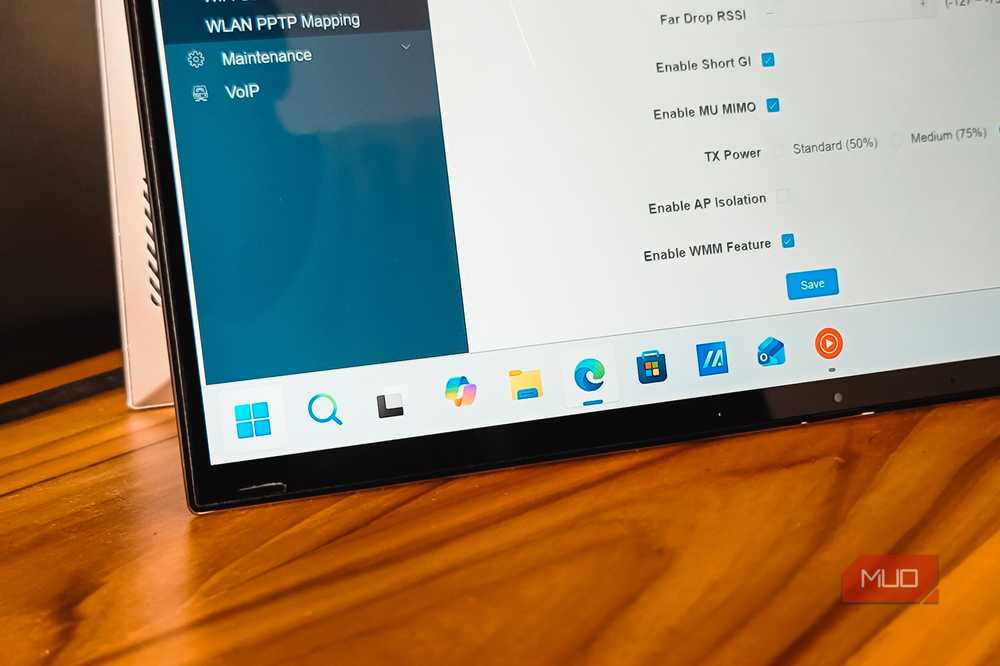
TKIP is not the only setting that can lock your Wi-Fi to 54 Mbps. WMM is another one that does the same thing, and it is easier to accidentally disable.
WMM is a traffic-prioritization feature built into every Wi-Fi standard since Wi-Fi 4. It sorts your network traffic into four categories (voice, video, best effort, and background) and gives time-sensitive data like video calls shorter wait times for airtime. On a quiet home network with a few devices, you might never notice it working. However, Wi-Fi 4, Wi-Fi 5, and Wi-Fi 6 all require WMM to be enabled for link speeds above 54 Mbps. Without it, your router drops back to legacy rates, just like it does with TKIP.
Turning WMM off also disables frame aggregation, which is how modern Wi-Fi bundles small data packets into one efficient transmission. Without it, every packet is sent and acknowledged individually, and performance drops across every device on the network.
WMM is enabled by default on most routers, but if you have been digging through advanced settings or followed a forum post that suggested turning it off to fix lag, double-check. The setting is usually under Advanced Wireless Settings or QoS. Make sure it is set to Enabled.
TKIP is less secure and hurts your internet speed...
An Ethernet speed test that matches the plan, and a Wi-Fi test that doesn’t, is a good indication that something is wrong with your wireless connection. If you are seeing the same pattern, your router might be stuck speaking a protocol from 2003. Check the security mode, make sure TKIP is not in the picture, and confirm WMM is on.
These are the kinds of router settings that quietly hurt your internet speed because everything still works. You get a connection, pages load, videos play. They play at a fraction of the speed you are paying for, and unless you run a wired speed test for comparison, you might never notice the difference.